🔧 Step 1 — Open the Oura App Menu
- Open the Oura App
- Tap the menu icon (☰) in the upper-left corner of the home screen
⚙️ Step 2 — Open Health Connect Settings
- Tap Settings
- Under “Data Sharing,” select Health Connect
If you don’t have Health Connect installed yet, the Oura app will prompt you to download and install it from the Google Play Store.
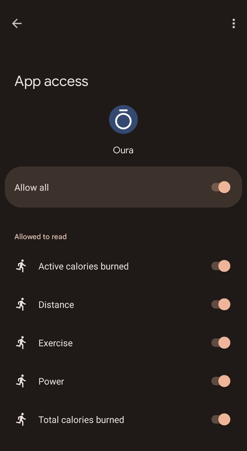
🔄 Step 3 — Choose What to Share
Once connected, use the toggles to select which data you’d like to share between Oura and Health Connect — for example:
- Sleep data
- Activity and steps
- Heart rate and readiness